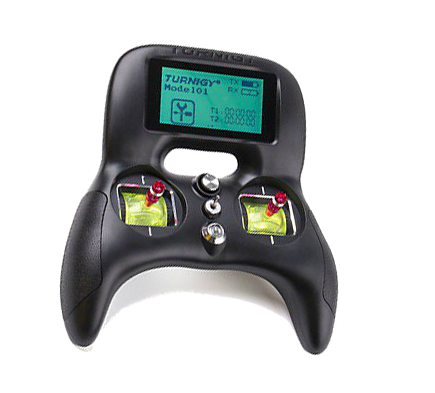
Turnigy Evolution via USB Micro cable Setup:
Confirmed Operating Systems:
- Windows 10/Pro
- MacOS Sierra 10.12.5
*** Please ensure that your computer is fully up to date with the latest drivers including controller drivers.
This setup will be using a standard USB mini cable. If you do not have one, there are many available online at numerous retailers. Here's a List of cables on Amazon. Click Here.
Setup Steps:
- Connect the turnigy evolution via USB Micro cable to the side of the controller.
- With the touch screen click the 'Settings Icon'
- Scroll to and select 'Select model'
- Change to a new model number or the one you want to use for the DRL Sim and return to settings menu
- Select 'Model Name' and name to 'DRL'
- Select 'Stick Mode' and change to M2
- Select 'Output Mode' and change output to PWM and Serial to I-BUS
- Select 'Aux. Channel' and change Channel 5 to SwBC, Channel 6 to SwA, and all other channels to Nul/None
- Now you have completed the setup, from the game menu, go to Settings> “CONTROLLER SETUP”> "QUICK CALIBRATION". Be sure to follow the on screen prompts to complete the setup process.